By Assaf Biton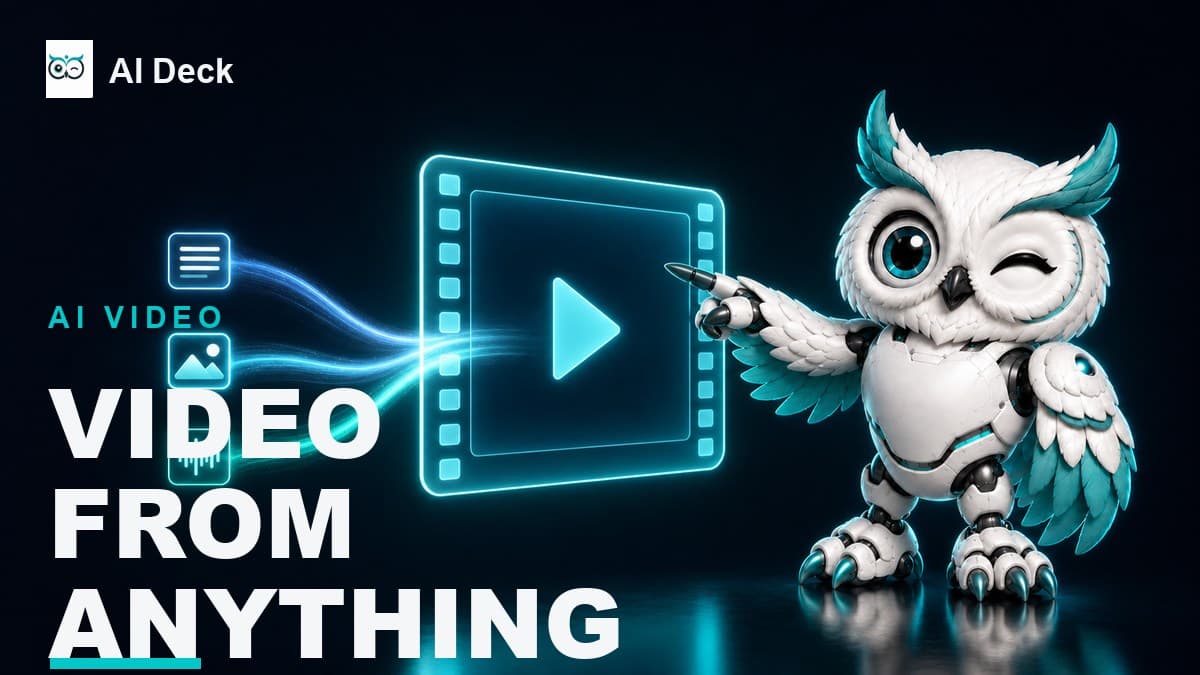
Everyone called Gemini Omni "the model that beats Sora." After a month of watching it ship into the Gemini app, Google Flow, and YouTube Shorts, I think that framing misses the point, and it is also out of date: OpenAI retired the standalone Sora consumer app back on April 26, 2026, so Sora 2 now survives only inside ChatGPT and through an API that itself shuts down on September 24, 2026. Google DeepMind unveiled Omni at I/O on May 19, 2026, and the launch model, Gemini Omni Flash, is not trying to win a raw quality contest it would probably lose. It is doing something the other AI video tools still can't: take text, image, audio, and video in one prompt, then let you edit the result by chatting with it.
TL;DR: Gemini Omni is Google DeepMind's new "any-input to video" model family, announced at Google I/O on May 19, 2026. The launch model, Gemini Omni Flash, accepts any mix of text, image, audio, and video in a single prompt and outputs a 10-second clip with synchronized audio. Its real edge is conversational, state-preserving editing: you change one thing at a time and the scene remembers the rest. It is live now in the Gemini app, Google Flow, and free in YouTube Shorts. The developer API is still not out as of June 19, 2026. Google published zero benchmarks at launch, capped clips at 10 seconds, and watermarks every output with SynthID that you cannot remove.
Google DeepMind's Gemini Omni Flash: any-input (text, image, audio, video) to a 10-second video with synchronized audio and conversational editing
Best for: Google Workspace users wanting native AI inside Docs, Gmail, and Sheets, Researchers needing citation-backed outputs via NotebookLM
What Gemini Omni Actually Is
Start with the name, because Google muddied it on purpose. "Omni" is the family. "Gemini Omni Flash" is the one model you can actually use today, and Flash means the fast, cheaper variant. So when a headline says "Gemini Omni," it almost always means Omni Flash, the only ship that has left the dock.
Here is the part that matters. Omni Flash takes any combination of text, image, audio, and video in a single prompt and returns video with sound. Not four separate uploads stapled together: one fused input that the model reasons over as a whole.
Google frames it as "create anything from any input, starting with video." Read that "starting with" carefully. Right now the output is video only, not standalone images, audio, or text. True any-to-any output is roadmap, not reality.
Google's own analogy is the clearest one I've seen: "Think of it like Nano Banana, but for video." If you've used conversational image editing, you already know the loop. You make a picture, then talk to it. "Make the jacket red." "Now zoom in." Gemini Omni brings that same chat-to-edit loop to moving footage, which is harder than it sounds because video has to stay consistent across time, not just one frame.
Pro Tip: Don't think of Gemini Omni Flash as a text-to-video box. Feed it a reference for every dimension you care about: a video for motion, an image for a character's face, an audio clip for the beat. In Google's own demo, birds take their movement from one video, their shape from an image, and their timing from a music track, all in one prompt. That stacking is the feature, and most people never try it.
The Headline Feature: Editing By Conversation
Most AI video models are slot machines. You write a prompt, pull the lever, and pray. Want a small change? You re-roll the whole clip and lose everything that was already good. Gemini Omni Flash breaks that pattern, and this is the single reason to care about it.
Google calls it state-preserving editing. "Every instruction builds on the last. Your characters stay consistent, the physics hold up, and the scene remembers what came before." You ask for one specific change, a background swap, a new caption, a different action, and Omni keeps everything else and touches only what you flagged. Veo 3.1 and Kling 3.0 are not credited with doing this as a true conversational loop. That is Omni's moat.
But here's the honest catch, and Google buried it. Hands-on testers report a practical ceiling of roughly 4 useful edit turns before the scene starts to drift: a face shifts, an object teleports, colors slide. That number comes from a single tester running 22 generations, so treat it as a direction, not a law.
Still, it lines up with Google's own model card, which lists "maintaining complete consistency throughout edits" as a known weak spot. Naming the limit is honest. It is not a fix.
Plan your edits before you start, and change exactly one thing per turn. Add an explicit preserve clause to every edit, something like "keep everything else identical." Skip that clause and the model is free to redraw the whole scene, which is how you burn credits and lose the take you liked three turns ago.
What Else Gemini Omni Does
Beyond the edit loop, four capabilities stood out in the official demos and the model card. None of them are unique on their own. Together, run through one chat interface, they are why Gemini Omni feels different.
- Native synchronized audio. Omni generates ambience, sound effects, and dialogue timed to the video in the same pass, not a separate text-to-speech layer bolted on afterward.
- Style transfer mid-clip. You can apply a look (anime, claymation, watercolor) and even chain several styles inside one 10-second clip while the motion stays intact. One official demo runs crayon to graphite to translucent glass to risograph in a single shot.
- Storyboard to video. Hand Omni a storyboard image and it follows the panels in order. Google's prompt: "Follow the story exactly in order starting top left. Entire story in 10 seconds. Cinematic."
- Avatars of you. You can generate video using your own face and voice, but only after an enrollment step where you record yourself reading numbers. That is a deliberate consent gate against deepfakes, not a hoop for hoops' sake.
Notice the pattern? Every one of these leans on Omni reasoning over multimodal input. That is the through-line. It is less a video renderer and more a reasoning model that happens to output video.
How To Prompt It Without Wasting Credits
Google's prompt guide frames six dimensions to describe a scene: shot framing and motion, style and tone, lighting, location, action, and on-screen text. You don't have to fill all six every time. A community rule says "cover all six for best results," but that contradicts Google's own guidance, so I'd trust Google here.
The official stance is the opposite of how you prompt Veo. "You don't have to be as prescriptive. Tell Omni what you want and watch the model's reasoning and world knowledge bring the details to life."
So how do you reconcile that with "more detail means more control"? Simple. Under-specify the world and the aesthetic, and let world knowledge fill the gaps. Over-specify only the things you must control: the camera move, any on-screen text, your edits, and whatever must not change.
The model recognizes a real cinematography vocabulary, and using the right words helps. Camera moves like "push in," "punch in," and "dolly zoom" are in the official guide. So is "static" or "locked off" for a fixed camera, "one continuous shot" or "oner" for a single take, plus device looks like "natural smartphone zoom," "film camera," and "webcam style." Shot sizes are wide-angle, medium, and close-up. Wider film terms like "orbit," "pan," and "golden hour" are standard and probably work, but Google hasn't confirmed them, so test before you rely on them.
Pro Tip: Write your camera direction as a single sentence with a clear sequence, the way Google does: "A close-up on his shoes, quickly tilting up to a medium shot, then widening." That one line gave me far more reliable motion than a paragraph of adjectives. Specific camera grammar beats more description every time.
Where Gemini Omni Falls Apart
This is the section the launch demos skip, so I'll be blunt. Gemini Omni Flash has real limits, and a few of them will bite you on day one if nobody warns you.
The biggest one is text in non-Latin scripts. Google is proud of in-frame text and pitches Omni for ads, slogans, and title cards, and English text does come out legible in hands-on tests. But the official model card warns that "rendering perfectly accurate text remains a challenge," and one hands-on test found Japanese hiragana coming out right only about 11 of 46 times, with high-stroke Chinese failing consistently. Some secondary blogs now claim CJK works fine. Google's own card and the hands-on results say otherwise, so I won't promise it works.
Writing in Hebrew, Arabic, or any non-Latin script? Do not trust Omni to render legible in-frame text yet. The safe move is to add titles and captions in post (CapCut, Premiere, Canva) as an overlay, not as text the model draws. Test on a throwaway clip before you build a campaign around it.
Three more limits worth knowing. Clips cap at 10 seconds, which Google frames as a deployment choice with "longer in the pipeline," not a hard architectural wall. Complex or chaotic motion destabilizes the render, so keep the action legible. And speech editing of real people is deliberately locked: Omni can change what someone says, but Google withheld that feature as an anti-deepfake control. There is no relip or voice swap of existing footage, on purpose.
One more honest note on raw quality. As of June 2026, the Artificial Analysis text-to-video Arena puts Kling 3.0 and Seedance 2.0 at or near the top, trading places depending on the category (Seedance leads image-to-video, Kling variants lead or rank top on text-to-video), with Veo 3.1 in the same upper group. Gemini Omni Flash isn't ranked there yet, because Google published no benchmarks at launch and deferred them to the eventual API release. Sora 2 isn't listed on that board at all. Omni's edge is the workflow, not the render score.
The Honest Scorecard
So where does that leave you? Here is the short version, the parts the launch reel showed and the parts it didn't.
Gemini Omni Flash: What Works and What Doesn't
What Works
- True multimodal input: text, image, audio, and video in one fused prompt, which no major rival offers in full today
- Conversational, state-preserving editing for roughly 4 reliable turns, the genuine differentiator
- Native synchronized audio generated from scratch, not a bolted-on TTS pass
- Strong in-frame English text for ads and title cards
- Free entry point through YouTube Shorts, so you can try it at zero cost
What Doesn't
- Non-Latin text (CJK, and by extension Hebrew and Arabic) is unreliable in-frame, per the model card and hands-on tests
- 10-second clip cap, with no firm date for longer output
- Not the raw-quality leader: Kling 3.0, Seedance 2.0, and Veo 3.1 sit at or near the top of the Artificial Analysis video Arena, while Omni isn't ranked there
- No developer API yet as of June 19, 2026, and no benchmarks disclosed at launch
- SynthID watermark on every output, with no toggle to remove it
Availability and Pricing as of June 2026
Gemini Omni Flash is live right now in three places: the Gemini app, Google Flow (the main creator surface), and YouTube Shorts and the YouTube Create app, where it is free at launch. The catch for developers is that the Gemini API and the enterprise Vertex AI route are still not out. Google has said "coming weeks" since May 19, and as of June 19, 2026, there is still no date and no API pricing. If you need to ship against an API today, Veo 3.1 is the stable option.
On the consumer side, access comes through Google's subscription tiers, and I/O 2026 reshuffled the prices. Here is where things stand.
| Tier | Price (as of June 2026) | Monthly AI / Flow Credits | Omni Flash Access |
|---|---|---|---|
| YouTube Shorts | Free | Not disclosed | Yes, free entry point |
| Google AI Plus | $4.99/mo (cut from $7.99 on June 9, 2026; storage doubled to 400GB) | ~200 (secondary, unconfirmed) | Yes |
| Google AI Pro | $19.99/mo | 1,000 | Yes |
| Google AI Ultra (new tier) | $99.99/mo (introduced at I/O 2026) | 5x the Pro limits | Yes |
| Google AI Ultra (top tier) | $200/mo (repriced from $249.99 at I/O 2026) | 25,000 | Yes |
The number that should worry you is the one Google won't print. The cost in credits per generation, and per edit turn, is not documented anywhere. So you can't actually budget a project up front. The safe move is to run a short calibration test, generate a clip, do a few edit turns, and watch how fast your credit balance drops, before you commit to anything that matters.
Every clip Gemini Omni makes carries a SynthID watermark and C2PA Content Credentials, both mandatory and non-removable. They survive cropping, resizing, and screenshots. Anything you publish is permanently traceable as AI-generated. If your platform or client has rules about disclosing AI content, that is no longer optional with Omni.
Who Should Use Gemini Omni
If you make short social video and you already pay for Google AI Pro or Ultra, Gemini Omni Flash is worth your time today. The edit loop genuinely saves re-rolls, and the free Shorts entry point means you can learn it without spending a credit. Creators working in English, for ads, hooks, and title cards, get the most upside right now.
Hold off if you need long clips, native non-Latin text, top-tier render quality, or an API. For those, Kling 3.0 wins on quality and price, and Veo 3.1 wins on API stability and clip length. To see how Google's own video models stack up against the field, my Kling 3.0 review runs the same prompts through Veo 3.1. For the image side of Google's stack, the Gemini tool page and my conversational image editing breakdown cover the same chat-to-edit idea. And if you're choosing between the broader AI video tools, match the model to the job rather than the hype.
What's Coming Next
Two things are on Google's roadmap, and both are still vapor until proven. First, an Omni Pro variant has been announced with no date; Google says it will ship "when we see a step change above Flash," and it is expected to lift the 10-second cap and push resolution toward 4K. Second, the developer API and Vertex AI route, which bring benchmarks and real pricing transparency. Until those land, treat Omni Flash as a consumer creative tool, not a production pipeline you can build a business on.
Frequently Asked Questions
What is Gemini Omni?
Gemini Omni is Google DeepMind's "any-input to video" AI model family, announced at Google I/O on May 19, 2026. The launch model, Gemini Omni Flash, takes any mix of text, image, audio, and video in one prompt and outputs a 10-second video with synchronized audio.
Is there a Gemini Omni API for developers?
Not yet. As of June 19, 2026, the developer Gemini API and the Vertex AI enterprise route are still not live. Google has said "coming weeks" since launch but has given no date and no API pricing. For an API you can ship against today, Veo 3.1 is the working alternative.
How much does Gemini Omni cost?
It is free in YouTube Shorts. Through the Gemini app and Google Flow, access comes with Google AI Plus ($4.99/mo as of June 9, 2026, down from $7.99 and now with 400GB storage), AI Pro ($19.99/mo, with 1,000 credits), or one of two AI Ultra tiers: the new $99.99/mo Ultra introduced at I/O 2026, or the top $200/mo Ultra (repriced from $249.99) that carries 25,000 credits. The credit cost per generation is not disclosed.
Can Gemini Omni render text in other languages?
English text comes out legible. Non-Latin scripts are unreliable: the model card says "rendering perfectly accurate text remains a challenge," and hands-on tests found Chinese, Japanese, and Korean text failing often. For Hebrew, Arabic, or CJK captions, add them in post instead of asking Omni to draw them.
Is Gemini Omni better than Veo 3.1 or Kling 3.0?
Not on raw quality. As of June 2026, Kling 3.0 and Seedance 2.0 sit at or near the top of the Artificial Analysis video Arena, with Veo 3.1 in the same upper group, and Omni isn't ranked there yet. (Sora 2 isn't on that board at all, and OpenAI retired its standalone consumer app on April 26, 2026, so it's no longer a live consumer rival.) Omni's advantage is its workflow: unified multimodal input plus conversational editing, which the others don't fully match.
Our Recommendation
Best for: Short-form English video creators on Google AI Pro or Ultra who want to edit by chatting instead of re-rolling whole clips.
Try it free: Start in YouTube Shorts to learn the edit loop at zero cost before you spend a credit in Flow.
Skip it if: You need clips longer than 10 seconds, reliable non-Latin text, top render quality, or an API. Use Kling 3.0 or Veo 3.1 instead.
Your next step: Open YouTube Shorts today, generate one 10-second clip, then run exactly 4 single-change edit turns with a "keep everything else identical" clause on each. That short test will teach you Omni's real strengths and its drift ceiling faster than any demo.