By Assaf Biton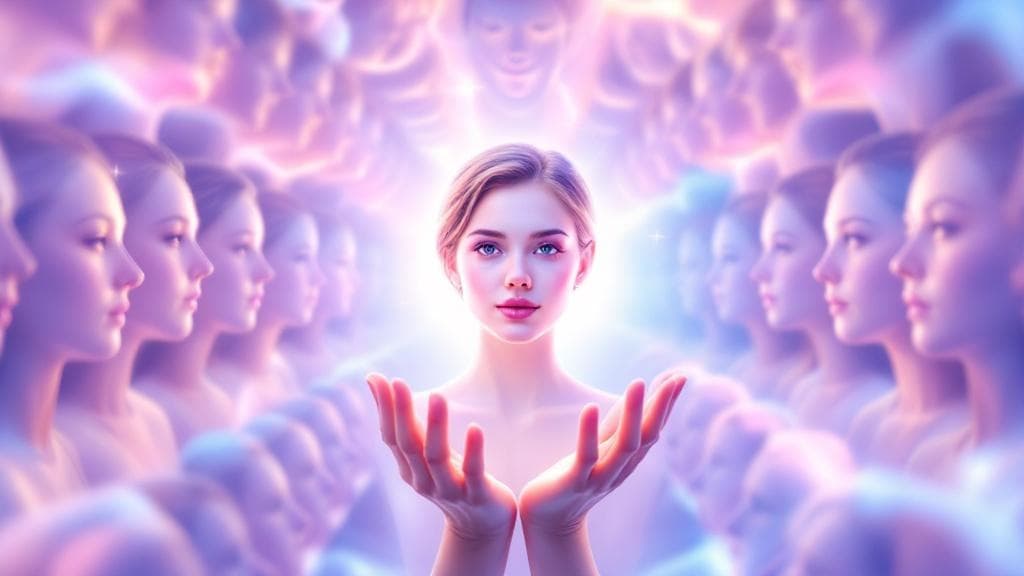
I Burned Through $127 Testing This
Quick Verdict
Nano Banana Pro is the only AI image generator with true character consistency across multiple images. Best for: virtual try-on, character design, sequential storytelling. Worth the 3-7x premium only if you need the same character across multiple images.
I burned through $127 testing Nano Banana Pro's character consistency across 400+ generations. Here's every trick the documentation doesn't tell you.
Nano Banana Pro is fal.ai's name for Google's Gemini 3 Pro Image. It's the first AI image generator I've used that can actually maintain character consistency across multiple images. Not "similar looking." Identical.
What you'll learn: By the end of this guide, you'll master character consistency with identity lock phrases, the one-change rule, film stock simulations, and production-ready API code. Takes about 15 minutes to read.
Prerequisites:
- fal.ai account with API key (or Google Cloud for direct Gemini access)
- Basic Python knowledge for API examples
- ~$5-10 in credits for testing
The problem? Google's official documentation is sparse. The real techniques live in scattered Discord servers and Reddit threads. I spent six weeks collecting them, testing them, and refining what works.
This guide covers everything: the identity lock phrases that actually preserve faces, the one-change-at-a-time rule that prevents drift, film stock simulations for professional looks, and production-ready API code you can copy today.
Google's flagship image generator (#2 ranked, 1238 ELO). Reasoning-guided photorealism with 94-96% text accuracy. Supports up to 14 reference images for character consistency. Best for product photography and complex scenes.
Best for: Photorealistic product shots, Complex compositional requests
Technical Specifications
Before diving into prompting techniques, you need to know the model's constraints. Breaking these causes silent failures.
| Parameter | Value | Notes |
|---|---|---|
| Model ID | gemini-3-pro-image-preview |
Required for API calls |
| Resolutions | 1K, 2K, 4K | Uppercase K required |
| Aspect Ratios | 1:1, 2:3, 3:2, 3:4, 4:3, 4:5, 5:4, 9:16, 16:9, 21:9 | String format |
| Reference Images | Max 14 | 5 humans max for consistency |
| Temperature | 1.0 | NEVER change this |
| Pricing | $0.15/image (1K-2K), $0.30/image (4K) | fal.ai rates |
The Six-Component Prompt Formula
Nano Banana Pro understands natural language. Unlike Midjourney or DALL-E, "tag soup" doesn't work here. Prompts like "beautiful, 8k, masterpiece, trending on artstation" produce unpredictable results.
Every effective prompt follows this structure:
[SUBJECT + Adjectives] + [ACTION] + [ENVIRONMENT] + [CAMERA/COMPOSITION] + [LIGHTING] + [STYLE + CONSTRAINTS]Tag Soup vs. Six-Component
| Approach | Prompt | Result |
|---|---|---|
| Tag Soup | "beautiful woman, 8k, masterpiece, trending" | Unpredictable, inconsistent |
| Six-Component | "Professional portrait of a woman in her 30s, standing confidently, modern office background, shot on 85mm f/1.4, three-point lighting, 4K photorealistic" | Consistent, controllable |
The difference isn't subtle. Tag soup gives the model too much freedom. The six-component formula constrains it to exactly what you want.
Character Consistency Mastery
This is where Nano Banana Pro shines. And where most people fail. Character consistency requires three techniques working together.
The Identity Lock Phrase
Every character consistency prompt MUST start with an identity lock phrase. Not in the middle. Not at the end. First line.
Keep the facial features of the person in the uploaded image exactly consistent.Variations that also work:
- "Keep the face of the person 100% accurate from the reference image"
- "Without changing her original face, [rest of prompt]"
- "Important: do not change the face."
The One Change Rule
This rule saved me more money than any other technique.
Never modify hair + outfit + expression + pose + background simultaneously. Change ONE element at a time.
Wrong approach:
Change her hair to blonde, add sunglasses, put her in a red dress,
make her laugh, and move her to a beach at sunset.
Correct approach (sequential):
- "Keep everything same. Change ONLY the background to a beach at sunset."
- "Keep everything same. Change ONLY her hair to blonde."
- "Keep everything same. Add ONLY sunglasses."
- "Keep everything same. Change ONLY her dress to red."
- "Keep everything same. Change ONLY her expression to laughing."
Yes, it takes five generations instead of one. But five successful generations cost $0.75. One failed generation that requires 10 retries costs $1.50.
Feature Locking Commands
When the identity lock alone isn't enough, explicitly list features to preserve:
FACIAL FEATURES [LOCKED]:
- Eye color: warm brown with amber undertones
- Eye shape: almond-shaped, medium-large
- Nose shape: straight with slightly rounded tip
- Lips: full with defined cupid's bow
- Face shape: oval
- Distinguishing marks: beauty mark above right eyebrow

Do NOT modify, stylize, or alter ANY facial features.
I use this template for any character I'll generate more than 10 times. The upfront work pays off.
Handling Character Drift
After 5-10 sequential edits, you'll notice the character's face subtly changing. This is "character drift." Each generation introduces micro-variations that compound.
Solution: Reset to base every 3-4 edits.
CONSISTENCY RESET:

Refer back to the ORIGINAL reference image (Image 1).

RESET the character to EXACTLY match Image 1:
- Face: Pixel-perfect match to original reference
- Hair: Exact style, color, position from reference
- Skin: Exact tone and texture from reference

Ignore any drift from previous generations.

Now apply ONLY this modification: [SINGLE SPECIFIC CHANGE]
Photography Terminology That Works
Nano Banana Pro responds exceptionally well to real photography terminology. Using the right terms gives you fine control over the output.
Focal Lengths
| Lens | Character | Best For | Prompt Example |
|---|---|---|---|
| 24mm | Wide, environmental | Landscapes, establishing shots | "Shot on 24mm wide-angle lens capturing full environment" |
| 35mm | Documentary feel | Street photography, environmental portraits | "Shot on 35mm lens, documentary style" |
| 50mm | Natural "human eye" view | Standard portraits | "Shot on 50mm at f/1.8, natural perspective" |
| 85mm | Classic portrait compression | Headshots, beauty, fashion | "Shot on 85mm f/1.4, beautiful background compression" |
| 135mm | Tight portraits, isolation | Close-ups, detail shots | "Shot on 135mm, extreme subject isolation" |
Aperture Effects
| Aperture | Depth of Field | Use Case |
|---|---|---|
| f/1.4 | Extremely shallow | Maximum bokeh, dreamy portraits |
| f/2.8 | Moderately shallow | Balanced portraits with some context |
| f/5.6 | Moderate | Environmental portraits, groups |
| f/8 | Deep focus | Landscapes, architecture |
Film Stock Simulations
These create distinctive looks that are hard to achieve any other way:
| Film Stock | Character | Best For |
|---|---|---|
| Kodak Portra 400 | Warm skin tones, subtle grain, lifted shadows | Portraits, weddings, fashion |
| Kodak Ektar 100 | Vivid colors, fine grain, punchy | Landscapes, product shots |
| Cinestill 800T | Tungsten balanced, halation glow around highlights | Night scenes, neon, urban |
| Fujifilm Pro 400H | Soft pastels, slightly cool, ethereal | Romantic, dreamy content |
| Kodak Tri-X 400 | Classic black and white, rich tonal range | Documentary, street, art |
Quick copy-paste block for portraits:
Shot on Kodak Portra 400 film, warm natural skin tones,
subtle organic grain, slightly lifted shadows.
Real-World Templates
Virtual Try-On / Clothing Transfer
Using Image 1 (the garment) and Image 2 (the model), create a hyper-realistic
full-body fashion photo where the model is wearing the garment.

GARMENT REQUIREMENTS:
- Preserve exact fabric texture and color from Image 1
- Maintain all logos, patterns, and details with 100% accuracy
- Natural draping with realistic folds and wrinkles

MODEL REQUIREMENTS:
- Keep ALL facial features exactly identical to Image 2
- Maintain exact skin tone and texture
- Preserve hair style and position

INTEGRATION:
- Match ambient lighting between garment and model
- Align color temperature
- Create appropriate shadows

Photography Style: Clean e-commerce lookbook.
Output: 4K resolution, 3:4 aspect ratio.
Background Replacement (Keep Everything Else)
Keep the facial features of the person in the uploaded image exactly consistent.

BACKGROUND REPLACEMENT:
Replace ONLY the background with: [YOUR NEW BACKGROUND DESCRIPTION]

PRESERVATION CHECKLIST (do not modify):
- Facial features: exact match
- Expression: unchanged
- Pose: identical
- Clothing: same outfit, same position
- Hair: same style, same position
- Lighting on subject: maintain original direction and quality

INTEGRATION:
- Match new background lighting to subject's existing lighting
- Create appropriate shadows from subject onto new environment
- Ensure color temperature consistency

Output: 4K resolution, photorealistic, seamless composite appearance.
Professional Headshot
Keep the facial features exactly consistent.

ATTIRE: Navy blue blazer over crisp white shirt, professional fit.

BACKGROUND: Clean solid charcoal gray studio backdrop with subtle
gradient, slightly lighter behind subject.

PHOTOGRAPHY:
Shot on Canon EOS R5 with 85mm f/1.4 lens.
Three-point lighting: key light at 45 degrees creating soft shadows,
fill light reducing contrast, rim light separating from background.

TEXTURE:
- Skin: Natural texture with visible pores, NOT airbrushed
- Eyes: Natural catchlights reflecting the key light
- Hair: Individual strands visible, natural shine

Output: 4K professional headshot.
API Implementation
Python SDK Setup
# nano_banana_pro.py
from google import genai
from google.genai import types
from PIL import Image

client = genai.Client()

def generate_with_reference(
    prompt: str,
    reference_image_path: str,
    aspect_ratio: str = "4:5",
    resolution: str = "4K"
):
    """Generate image with character reference."""

    reference = Image.open(reference_image_path)

    response = client.models.generate_content(
        model="gemini-3-pro-image-preview",
        contents=[prompt, reference],
        config=types.GenerateContentConfig(
            response_modalities=['TEXT', 'IMAGE'],
            image_config=types.ImageConfig(
                aspect_ratio=aspect_ratio,
                image_size=resolution  # Must be uppercase: 1K, 2K, or 4K
            )
        )
    )

    for part in response.parts:
        if part.inline_data is not None:
            return part.as_image()

    return None
This function wraps the Gemini 3 Pro Image API with character reference support. The key parameter is response_modalities=['TEXT', 'IMAGE']—without this, the API returns only text. The image_size must use uppercase letters (4K, not 4k) or the request silently fails. We iterate through response.parts because the API can return multiple content types in a single response, and we specifically want the image data.
Multi-Turn Conversational Editing
# multi_turn_editing.py
# Create editing session
chat = client.chats.create(
    model="gemini-3-pro-image-preview",
    config=types.GenerateContentConfig(
        response_modalities=['TEXT', 'IMAGE']
    )
)

# Turn 1: Generate base
image1 = chat.send_message("Generate a professional portrait...")

# Turn 2: Edit background
image2 = chat.send_message("""
Keep the woman exactly the same: face, expression, pose, clothing.
Change ONLY the background to a modern office with floor-to-ceiling windows.
""")

# Turn 3: Adjust expression
image3 = chat.send_message("""
Keep everything identical: face structure, hair, clothing, background.
Change ONLY her expression to a warm, confident smile.
""")
Multi-turn editing preserves context between generations, so the model "remembers" your character across multiple edits. Each send_message() call builds on previous turns in the conversation. The key phrase "Keep the woman exactly the same" reinforces identity preservation—without explicit instructions, the model may interpret "change background" as permission to adjust the subject too. This approach is more cost-effective than regenerating from scratch each time.
Production Best Practices
# robust_generator.py
import time

class RobustImageGenerator:
    def __init__(self, max_retries: int = 3, retry_delay: float = 2.0):
        self.client = genai.Client()
        self.max_retries = max_retries
        self.retry_delay = retry_delay

    def generate_with_retry(self, prompt: str, **kwargs):
        for attempt in range(self.max_retries):
            try:
                response = self.client.models.generate_content(
                    model="gemini-3-pro-image-preview",
                    contents=prompt,
                    config=types.GenerateContentConfig(
                        response_modalities=['TEXT', 'IMAGE'],
                        image_config=types.ImageConfig(**kwargs)
                    )
                )

                for part in response.parts:
                    if part.inline_data is not None:
                        return part.as_image()

            except Exception as e:
                print(f"Attempt {attempt + 1} failed: {e}")
                if attempt < self.max_retries - 1:
                    time.sleep(self.retry_delay * (attempt + 1))

        return None
The retry logic handles transient API failures that are common with image generation endpoints during high-load periods. Exponential backoff (retry_delay * (attempt + 1)) progressively increases wait time between retries to avoid overwhelming the service. We return None on complete failure rather than raising exceptions, letting calling code decide how to handle generation failures gracefully. This pattern is essential for production systems processing multiple images.
# nano_banana_pro_complete.py - Full implementation with all patterns
from google import genai
from google.genai import types
from PIL import Image
import time


class NanoBananaProGenerator:
    """Production-ready Nano Banana Pro wrapper with retry logic."""

    def __init__(self, max_retries: int = 3, retry_delay: float = 2.0):
        self.client = genai.Client()
        self.max_retries = max_retries
        self.retry_delay = retry_delay
        self.chat = None

    def generate_with_reference(
        self,
        prompt: str,
        reference_image_path: str,
        aspect_ratio: str = "4:5",
        resolution: str = "4K"
    ):
        """Generate image with character reference."""
        reference = Image.open(reference_image_path)

        for attempt in range(self.max_retries):
            try:
                response = self.client.models.generate_content(
                    model="gemini-3-pro-image-preview",
                    contents=[prompt, reference],
                    config=types.GenerateContentConfig(
                        response_modalities=['TEXT', 'IMAGE'],
                        image_config=types.ImageConfig(
                            aspect_ratio=aspect_ratio,
                            image_size=resolution
                        )
                    )
                )

                for part in response.parts:
                    if part.inline_data is not None:
                        return part.as_image()

            except Exception as e:
                print(f"Attempt {attempt + 1} failed: {e}")
                if attempt < self.max_retries - 1:
                    time.sleep(self.retry_delay * (attempt + 1))

        return None

    def start_edit_session(self):
        """Start multi-turn editing session."""
        self.chat = self.client.chats.create(
            model="gemini-3-pro-image-preview",
            config=types.GenerateContentConfig(
                response_modalities=['TEXT', 'IMAGE']
            )
        )
        return self.chat

    def edit(self, instruction: str):
        """Send edit instruction in current session."""
        if not self.chat:
            raise ValueError("No active session. Call start_edit_session() first.")
        return self.chat.send_message(instruction)


# Usage example
if __name__ == "__main__":
    generator = NanoBananaProGenerator()

    # Single generation with reference
    result = generator.generate_with_reference(
        prompt="""Keep the facial features of the person in the uploaded image exactly consistent.
        Professional headshot, navy blazer, charcoal background.
        Shot on 85mm f/1.4, three-point lighting.""",
        reference_image_path="reference.jpg",
        resolution="4K"
    )

    if result:
        result.save("output.png")
Troubleshooting Guide
| Issue | Cause | Fix |
|---|---|---|
| Character drift after 5+ edits | Micro-variations compounding | Reset to base every 3-4 edits |
| Facial distortion | Too many simultaneous changes | One change at a time |
| Wrong person generated | Identity lock missing or buried | Put identity lock phrase FIRST |
| Blurry output | Resolution not specified correctly | Use uppercase "4K" not "4k" |
| Looping/degraded output | Temperature changed from 1.0 | Never modify temperature |
| No image returned | Modalities not configured | Include ['TEXT', 'IMAGE'] in config |
| Plastic/airbrushed skin | Model defaulting to beautified | Add "natural texture with visible pores, NOT airbrushed" |
Anti-Patterns to Avoid
- Tag Soup: "beautiful, 8k, masterpiece, trending" produces unpredictable results
- Contradictory Instructions: "bright sunny scene at midnight" confuses the model
- Multi-Element Changes: Changing 5 things at once breaks consistency
- Using "Similar": Say "exactly consistent", never "similar to"
- Overly Long Prompts: Keep under 300 words for best results
Cost Comparison
| Provider | Model | Cost per Image | Character Consistency |
|---|---|---|---|
| fal.ai | Nano Banana Pro | $0.15-$0.30 | Excellent |
| fal.ai | Flux 2 Pro | $0.06 | Limited |
| fal.ai | SeedDream v4.5 | $0.04 | Basic |
| Midjourney | v7 | ~$0.04 (subscription) | None (no API) |
Frequently Asked Questions
What is the maximum prompt length for Nano Banana Pro?
The model accepts up to 1M input tokens, but practical limits are much lower. Keep prompts under 300 words for best results. Longer prompts cause the model to lose focus on key elements and may get truncated.
Why does my character's face keep changing?
Two common causes: missing identity lock phrase, or making too many changes at once. Always start your prompt with "Keep the facial features exactly consistent" and follow the one-change-at-a-time rule. If drift occurs after multiple edits, reset to your original reference image.
Can I use multiple reference images?
Yes, up to 14 total images. For human characters, limit to 5 references for best consistency. When using multiple images, explicitly assign roles: "Image 1 = face reference, Image 2 = pose reference, Image 3 = style reference." Without role assignment, the model may combine features unpredictably.
How do I avoid the plastic/airbrushed skin look?
Add explicit texture instructions to your prompt: "Render natural skin texture with visible pores, NOT airbrushed. Include subtle skin variations and imperfections. Add realistic catchlights in eyes." The model defaults to beautified output unless you specify otherwise.
What's the difference between Nano Banana Pro and Gemini 3 Pro Image?
They're the same model. "Nano Banana Pro" is fal.ai's commercial name for Google's Gemini 3 Pro Image (model ID: gemini-3-pro-image-preview). fal.ai provides the API infrastructure; Google provides the underlying model.
Next Steps
Start with the professional headshot template. It's the simplest way to test character consistency without complex scene requirements. Once you've confirmed your identity lock phrase works, experiment with background replacement.
- Start simple: Test with the professional headshot template first
- Build a character bible: Document feature locks for recurring characters
- Explore film stocks: Kodak Portra 400 for portraits, Cinestill 800T for night scenes
- Compare costs: Run same prompt on Flux 2 Pro to benchmark quality vs. price
For more AI image generation comparisons, see our full comparison guide. Explore more tutorials and tool reviews to level up your workflow.
Pros and Cons
Pros
- Best-in-class character consistency across images
- Understands real photography terminology (focal lengths, film stocks)
- Multi-turn conversational editing preserves context
- Up to 14 reference images in single generation
- Natural language prompts (no "tag soup" required)
Cons
- 3-7x more expensive than Flux/SeedDream alternatives
- Temperature must stay at 1.0 (undocumented limitation)
- Character drift after 5+ sequential edits
- Sparse official documentation
- Max 5 humans for reliable consistency
Final Verdict
Best for: Anyone needing consistent characters across multiple images: virtual try-on, character design, sequential storytelling, branded content.
Skip if: You only need single-shot generation. Cheaper alternatives like Flux 2 Pro or SeedDream v4.5 work fine for one-off images.
Bottom line: The premium pricing is justified by the character consistency no other model matches. Just follow the one-change rule.